Step 1
Schedule
- Build schedules around recurring patrol routes and static posts.
- Review coverage gaps and assigned officers in one place.
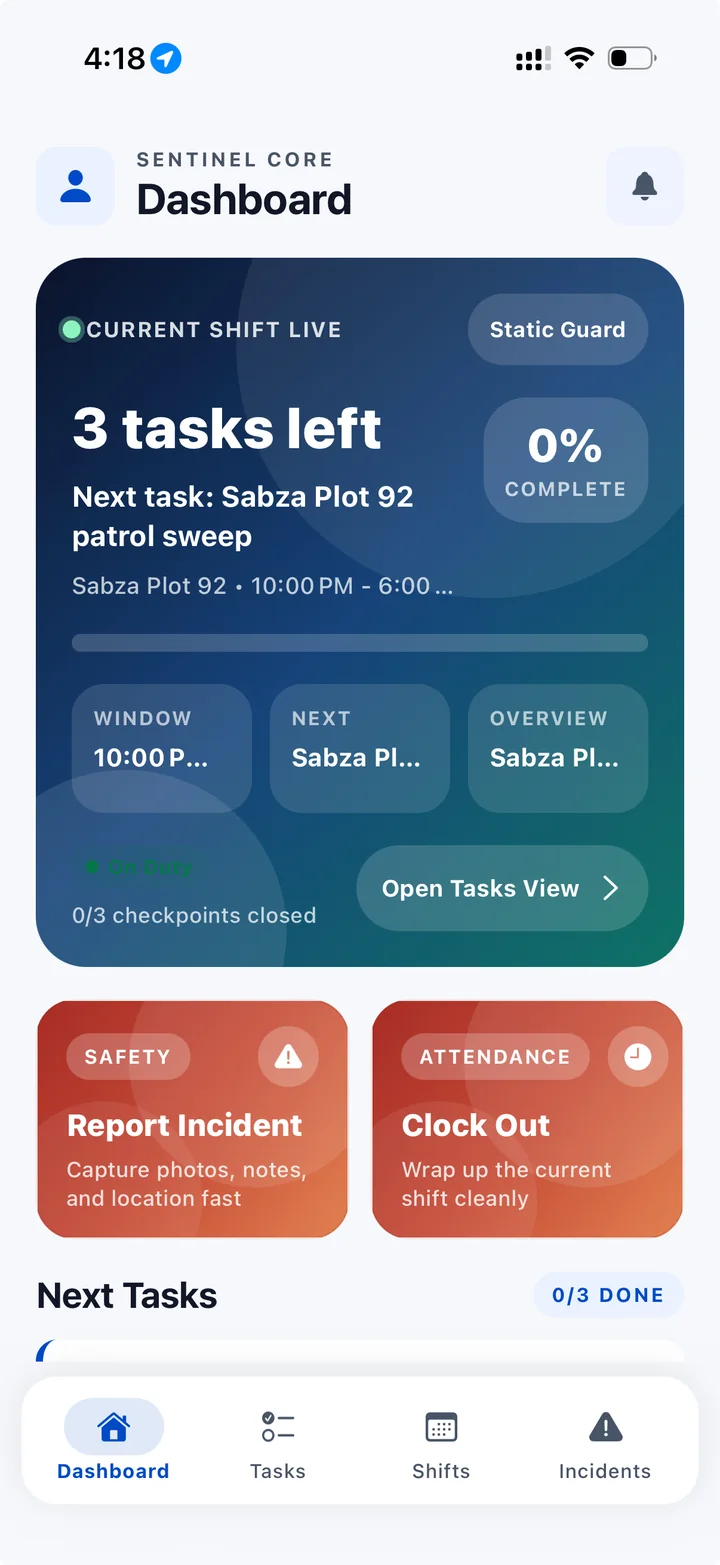
- Officers can access schedules and shift reminders on their phones.
Security operations, in real time
Schedule officers, verify attendance and patrols, and review incidents across contract, in-house, and hybrid security teams.
Scheduling, live coverage, patrols and operational records.
This illustrated overview uses instrumental music, with no spoken narration. The sites, names, and figures shown are demonstration examples.
Inside ShiftsGo
The real product, not a mockup: the command center your supervisors and site leads use, shown with demo workspace data.
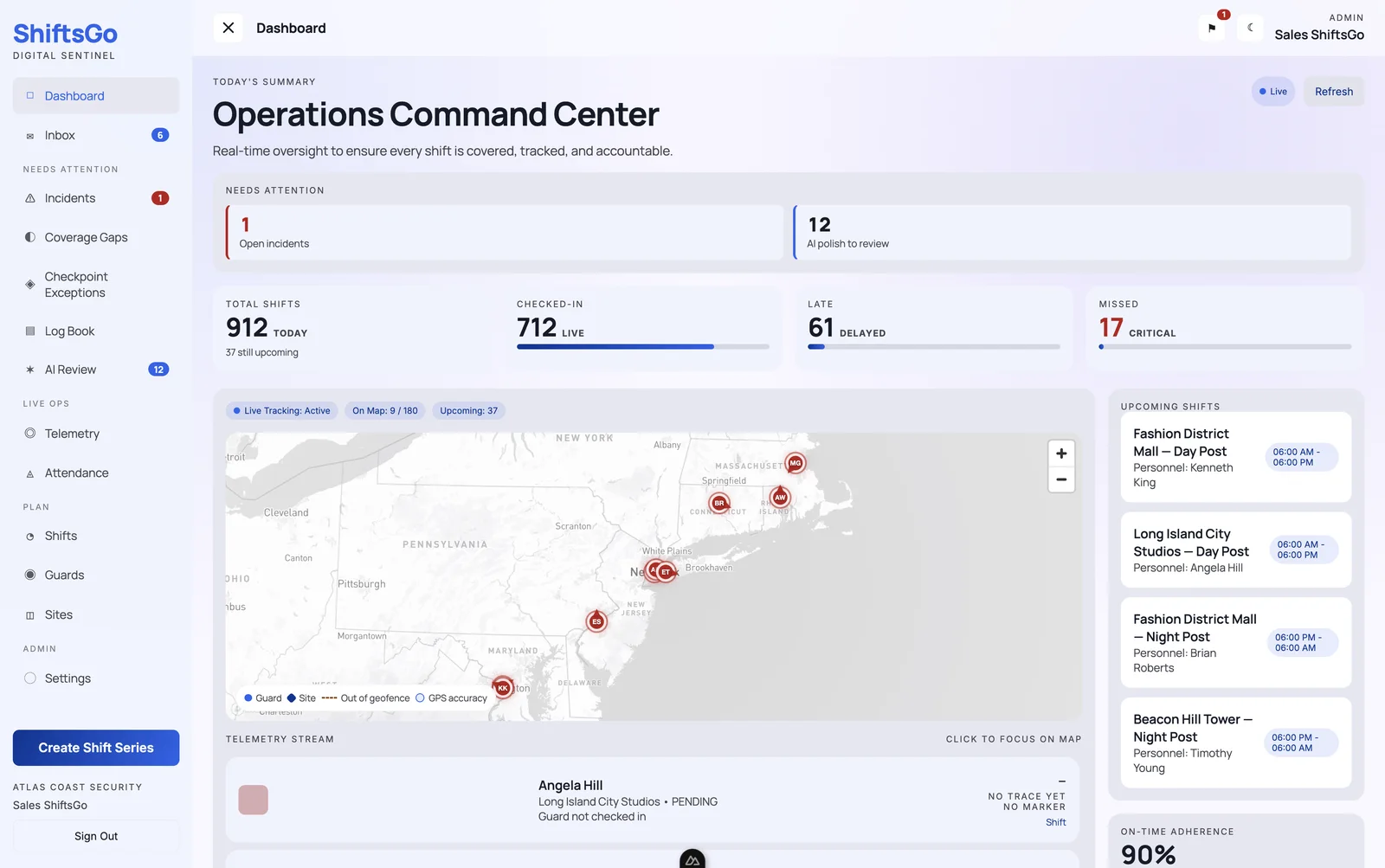
Every shift today — checked-in, late, and missed — with open incidents and AI items needing review, on one screen.
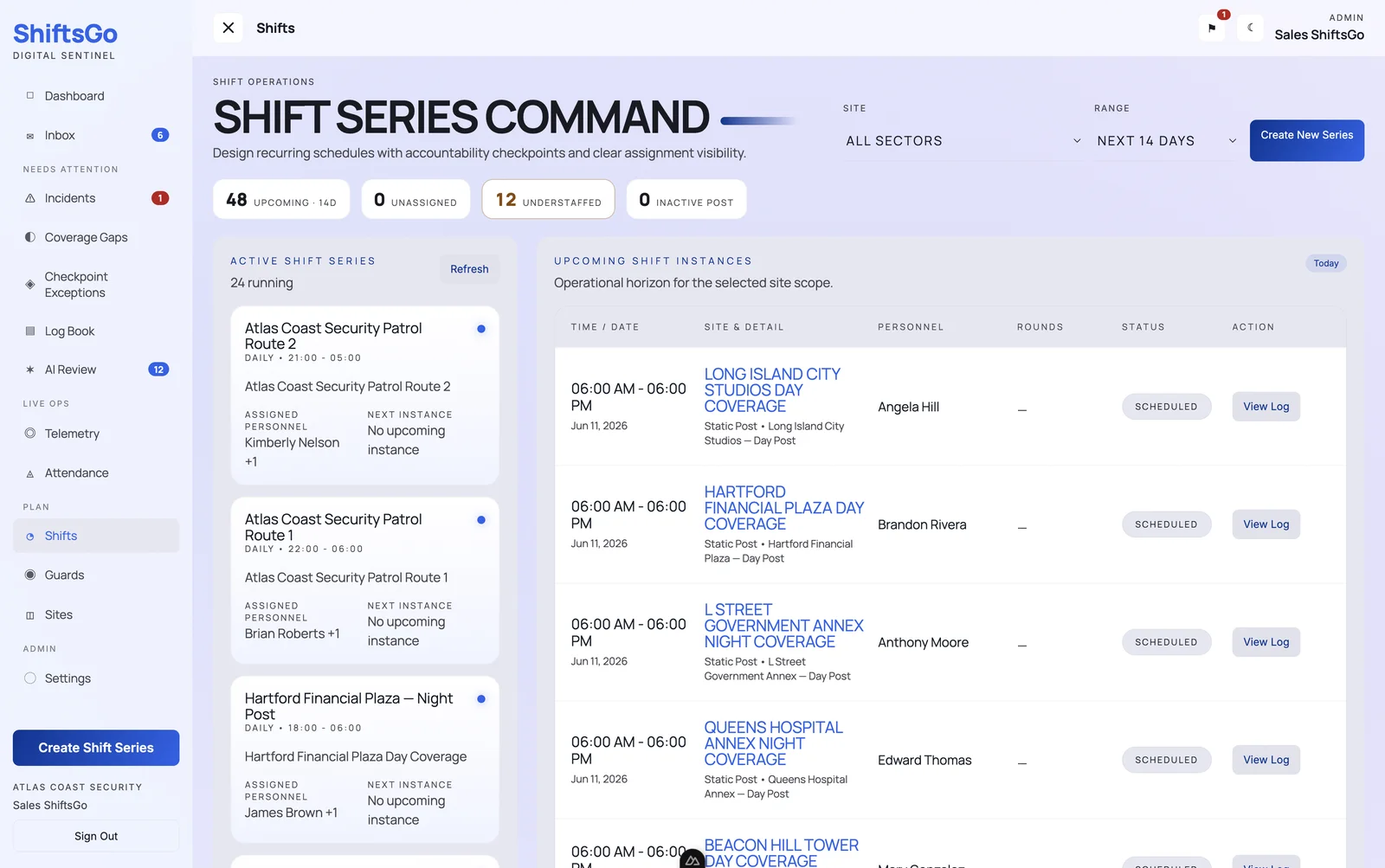
Recurring patrol routes and static posts with assigned personnel, upcoming instances, and understaffing flags.
Step 1
Step 2
Step 3
Guard tour tracking
Live visibility into your officers’ recorded movements and checkpoint scans, whether you run mobile patrols, fixed posts, or both. Track, verify, and review your security operations from one place.
Review recorded checkpoint activity against the patrol plan. Missed checkpoints are flagged so supervisors can follow up while the shift is still running.
GPS and QR/NFC checkpoints help you see reported officer locations, completed scans, and patrol progress.
Shift Replay
When a client, tenant, or manager asks what happened, review recorded GPS movement, checkpoint scans, and events on an interactive timeline.
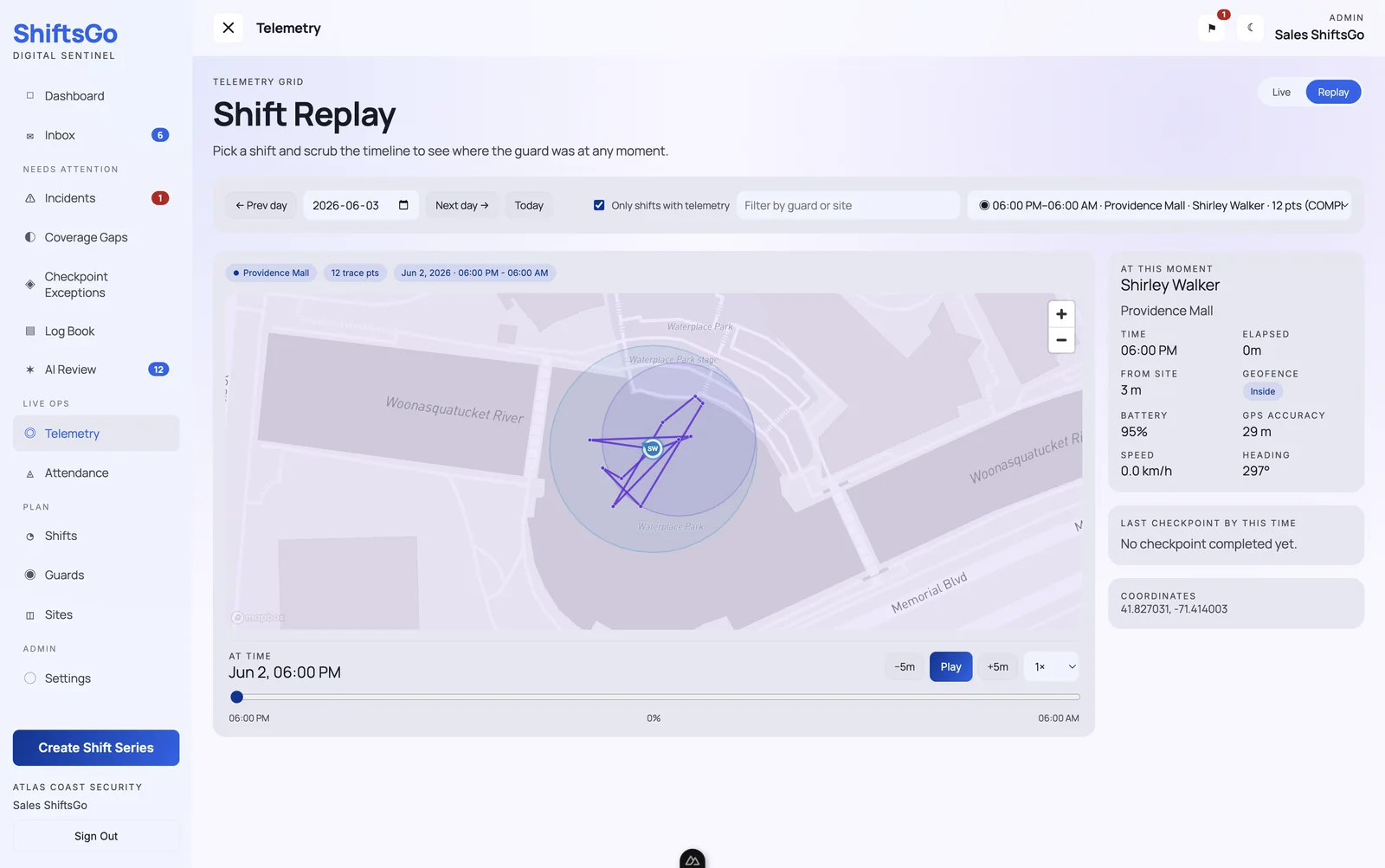
Review recorded GPS movement, scans, and events in chronological order.
Review recorded GPS locations on an interactive map with time and location context.
Scrub the timeline to review any moment of the shift — jump back five minutes or replay the whole night.
Verify patrols, checkpoint scans, and site visits against what actually happened on the ground.
Investigate incidents with clear location and time evidence instead of conflicting accounts.
Share relevant shift evidence with clients, tenants, and leadership.
Who runs on ShiftsGo
Schedules, attendance, patrol evidence, incident reports, and shift replay work together across operating models. Share relevant evidence with clients and internal stakeholders.
Contract security firms
Static posts, mobile patrol visits, and multi-branch rosters in one operational record.
In-house security teams
Coordinate employed officers and give internal stakeholders useful operational evidence.
Hybrid programs
Bring your own officers and contracted coverage into a consistent operational workflow.
Enterprise
For organizations with stricter data, security, or operational requirements, Sentinel can be deployed in a dedicated custom environment. Discuss environment isolation, regional hosting, access controls, integrations, and implementation requirements with our team.
A custom-configured Sentinel deployment for your organization.
Discuss sites, rosters, checkpoints, integrations, and reporting requirements.
Discuss a commercial agreement for your coverage and deployment requirements.
Discuss rollout, training, and ongoing support requirements with our team.
Coverage-based pricing
ShiftsGo prices committed coverage: static posts, mobile patrols, and contract or program demand. Add officers, supervisors, dispatchers, and replacements without turning every roster change into a bigger software bill.
Roster growth and replacements do not create per-seat charges.
One model covers static security posts and mobile patrol visits together.
Scheduling, GPS attendance, QR/NFC scans, incident reports, and Shift Replay.
The bill changes with the coverage you run, rather than your roster size.
Setup
Download CSV templates during setup, import sites and officers in bulk, and launch one contract, site, or branch at a time.
01
Download the site CSV template during setup and bring active locations, branches, and core site records into ShiftsGo without rebuilding them one by one.
02
Use the guard CSV template to import your officers, contact details, and starting roster data before you assign the first shift.
03
Import only the contract, site, branch, or patrol team you want to launch first, prove the workflow live, and then expand with less operational risk.
FAQ
Answers to the questions security teams ask before switching to ShiftsGo.
Yes. Sentinel supports contract, in-house, and hybrid teams with schedules, attendance, patrol checkpoints, incident records, and shift replay. Teams can share relevant operational evidence with clients and internal stakeholders.
ShiftsGo is the operating system for security operations — a proof-of-patrol platform where every guard, post, and patrol produces verifiable, time-stamped, GPS-stamped evidence teams can review and share with relevant stakeholders, and the coverage gaps, missed checkpoints, and incidents your supervisors need to act on tonight. It combines AI-assisted scheduling, GPS guard tracking, QR/NFC checkpoint patrols, real-time coverage alerts, a per-site log book, and incident reporting in one platform for contract, in-house, and hybrid security teams.
Guards clock in from the ShiftsGo mobile app. Geofenced locations confirm the guard is on-site, and live GPS streams their movements during patrols so supervisors and clients can verify presence in real time.
Yes. Guards scan QR codes or tap NFC tags at each checkpoint to prove patrols were completed. Every scan is time-stamped, GPS-stamped, and stored in the cloud for client-ready proof of service.
Yes. Shift Replay lets supervisors review a recorded shift on an interactive map — GPS route, checkpoint scans, and events — with time-based playback controls to scrub to any moment. It turns disputes and incident investigations into a review of recorded evidence, and produces client-ready proof of service.
Yes. ShiftsGo detects missed clock-ins and coverage gaps in real time and alerts supervisors immediately, so the shift can be recovered as soon as a gap is identified.
Yes. ShiftsGo serves security operators across the United States (shiftsgo.com) and Canada (shiftsgo.ca) with regional billing, English-language support for both markets.
ShiftsGo Operations is $149 USD/month or $1,490 USD/year with two months free. The monthly allowance includes 48 static guard-hours per calendar day. Static coverage uses one Operations Credit per committed guard-hour and each completed patrol visit uses one credit. Additional credits are invoiced monthly using graduated rates starting at $0.10 USD for monthly contracts or $0.08 USD for annual contracts; usage above 100,000 credits requires an Enterprise review. Self-service checkout is available in Sentinel.
Yes. During setup you can download CSV templates for sites and guards, populate them from your current records, and import them in bulk so your team does not rebuild roster or site data by hand.
The ShiftsGo Operations annual platform price is $1,490 USD, equal to 10 monthly platform payments, so customers receive two months free. Additional coverage is still invoiced monthly using graduated annual-contract rates that start at $0.08 USD per Operations Credit and decrease at higher usage bands. Enterprise pricing is negotiated.
Bring attendance, patrol evidence, incident records, and shift context together. Start with one site and build the workflow around your team.