A schedule tells you who should be working. Your security operation also needs to know who arrived, which duties were completed, what needs attention, and what you can show the client. ShiftsGo connects those steps.
Picture an overnight supervisor managing a staffed commercial property and a mobile patrol route. One officer has not checked in. Another has several stops to visit, with different visit counts at each site. At the staffed property, access and perimeter checks must repeat throughout the shift. By morning, the client wants a clear account of the service delivered.
This is an illustrative operation, but the questions are practical: Is the post covered? Which round is due? What remains incomplete? Can the supervisor find the answer without assembling it from phone calls, spreadsheets, and messages?
For security companies in the United States and Canada, those questions connect daily supervision with client confidence. ShiftsGo brings scheduling, attendance, patrol activity, and reporting into a shared operational workflow.
What ShiftsGo brings to your operation
Sentinel is the management console where your team plans coverage and reviews activity. The ShiftsGo Staff app gives officers access to their schedules and field workflows on iPhone and Android. Together, they connect the plan in the office with the work recorded on site.
- Scheduling and attendance: organize shifts, configure attendance windows, and identify late or missed check-ins.
- Mobile patrols: arrange route stops and configure how many rounds each stop requires.
- Static post checks: define repeating groups of tasks with a cadence, grace period, and recovery policy.
- Field reporting: capture daily activity, incidents, and handover information in the operational record.
- Review and evidence: use recorded GPS activity, checkpoint records, and Shift Replay to investigate a shift and support client conversations.
The value is in the connection. A supervisor can compare planned coverage with recorded attendance, then review the duties and reports associated with the shift. Each step gives the next person better context.
Start with attendance: a scheduled officer still needs to arrive
ShiftsGo lets you configure how early check-in opens, when arrival counts as late, and when a missing check-in becomes a missed shift. Live coverage exceptions help supervisors see where follow-up is needed. A permitted late check-in updates the attendance record and coverage state while preserving the late arrival.
In our example, the supervisor can investigate the missing check-in while the shift is underway. That visibility supports an earlier response; arranging relief and communicating with the client still require an operational decision. Read more about managing coverage gaps and guard scheduling.
Mobile patrols: match round counts to each stop
A mobile patrol may serve sites with different visit requirements. In Sentinel’s schedule setup, Same for all stops applies a common round count. Per stop lets the scheduler assign a different count to each stop, with the total shift rounds derived from the highest count.
Mock patrol case: three rounds at one site, two at another
Our demonstration uses two fictional sites, Mall Alpha and Harbour Yard. Set Mall Alpha to three rounds and Harbour Yard to two. Sentinel derives three total shift rounds while keeping each stop’s own requirement visible. A round count describes how often to visit; it does not by itself promise an hourly visit window.
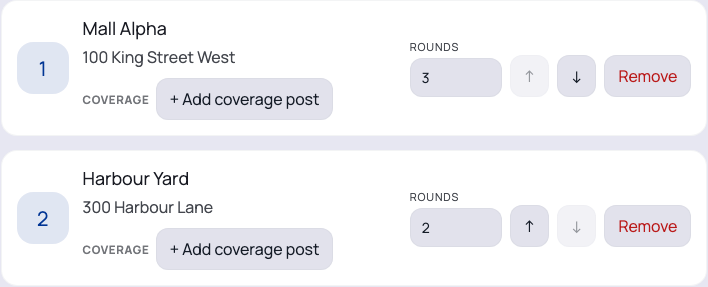
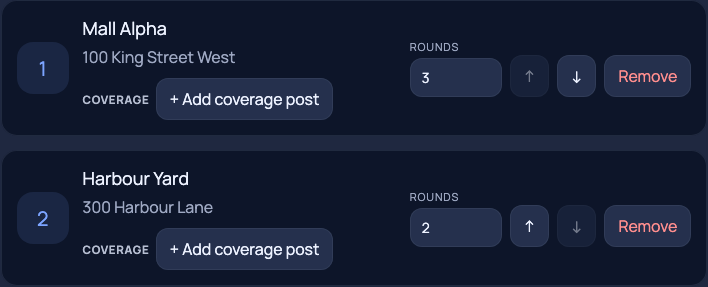
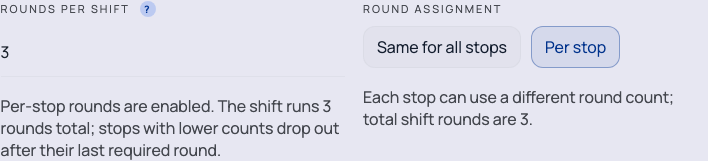
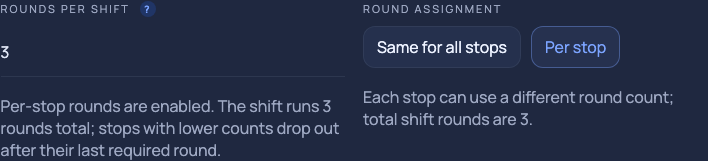
This helps schedulers represent the service agreed for each stop. Supervisors can then review patrol progress against those requirements. For checkpoint verification options, see our guide to GPS, QR, and NFC guard tours.
Static posts: repeat the work inside a staffed shift
A static post uses a different setup. Its shift represents the staffed duty period; repeated checks are configured through Work requirements → Checkpoint Rounds on the post. These protocols define the tasks that become due together and how often they repeat. Increasing a mobile route’s round count is a separate operation.
In Sentinel, select the site’s coverage post, open its checkpoint-round requirements, and create a protocol using tasks from the site’s checkpoint templates. Set the repeat interval, grace period, and time allowed to recover missed work. Mark the required tasks and keep optional work explicit. Review activation readiness before relying on the workflow in the field.
Mock static case: perimeter and access checks
At our fictional Main Gate post, “Perimeter and access round” repeats every 120 minutes. Inspecting gates and checking exits are required; the storage check is optional in this demonstration. The grace period is 15 minutes, and recovery is allowed until shift end. These are example settings, to be adapted to the site’s actual instructions.
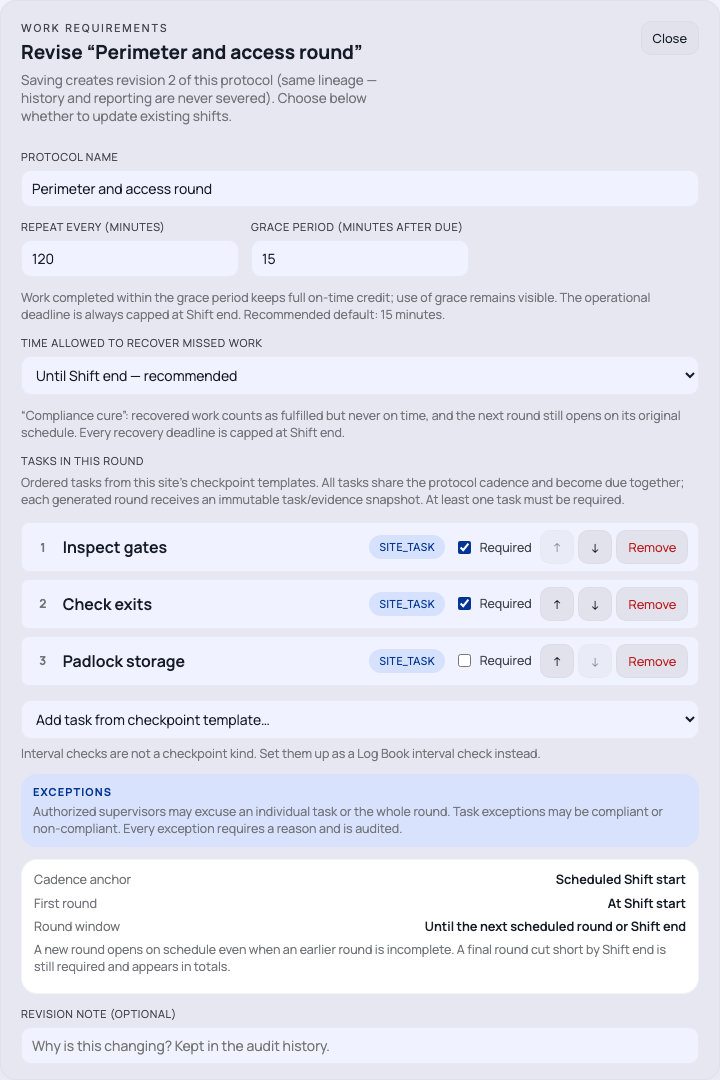
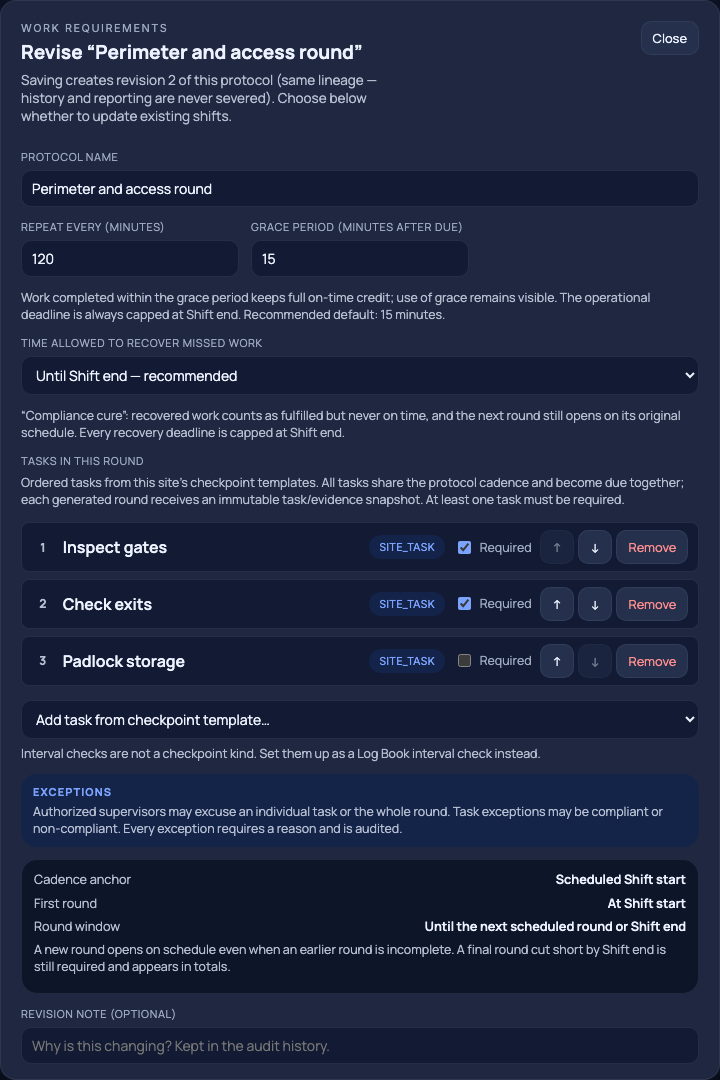
Those settings distinguish timing from fulfillment. Work completed within grace keeps on-time credit, with grace use visible. Work recovered after that deadline can count as fulfilled, but it does not become on time. Recovery does not move the next round’s scheduled opening, and deadlines are capped at shift end.
That distinction gives a supervisor a more useful record than a single completed checkbox. It helps identify what was done on time, what was recovered, and what still needs attention. Required tasks determine shortfall; optional tasks remain separate. These operational measures describe configured duties, rather than certifying legal compliance.
Give the next officer and the client a clearer record
Patrol activity is only part of a shift. Officers also need to document observations, incidents, and unresolved issues. Mobile daily activity and incident reporting make those records available for review. Pass-on notes help the incoming officer understand what needs continued attention.
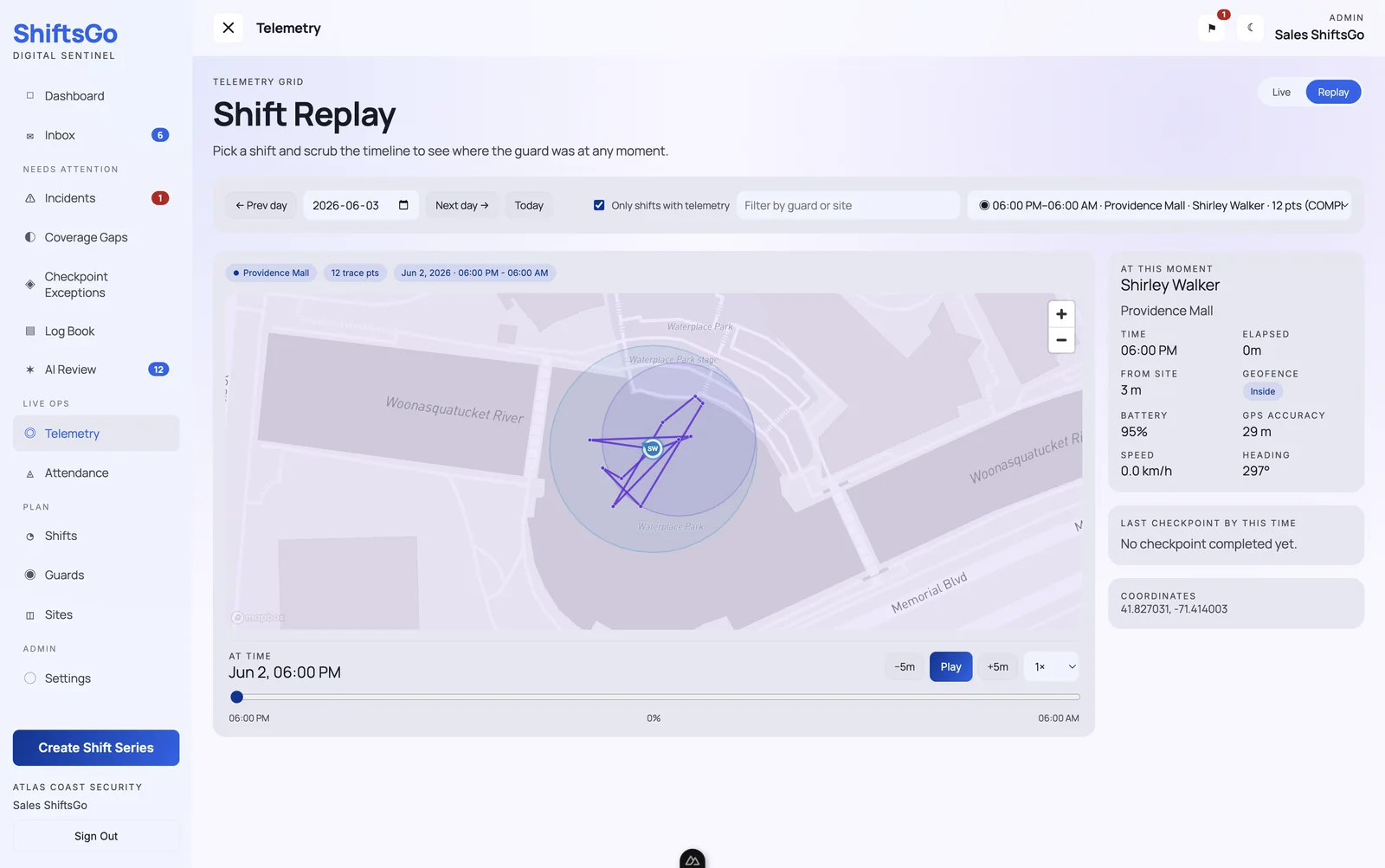
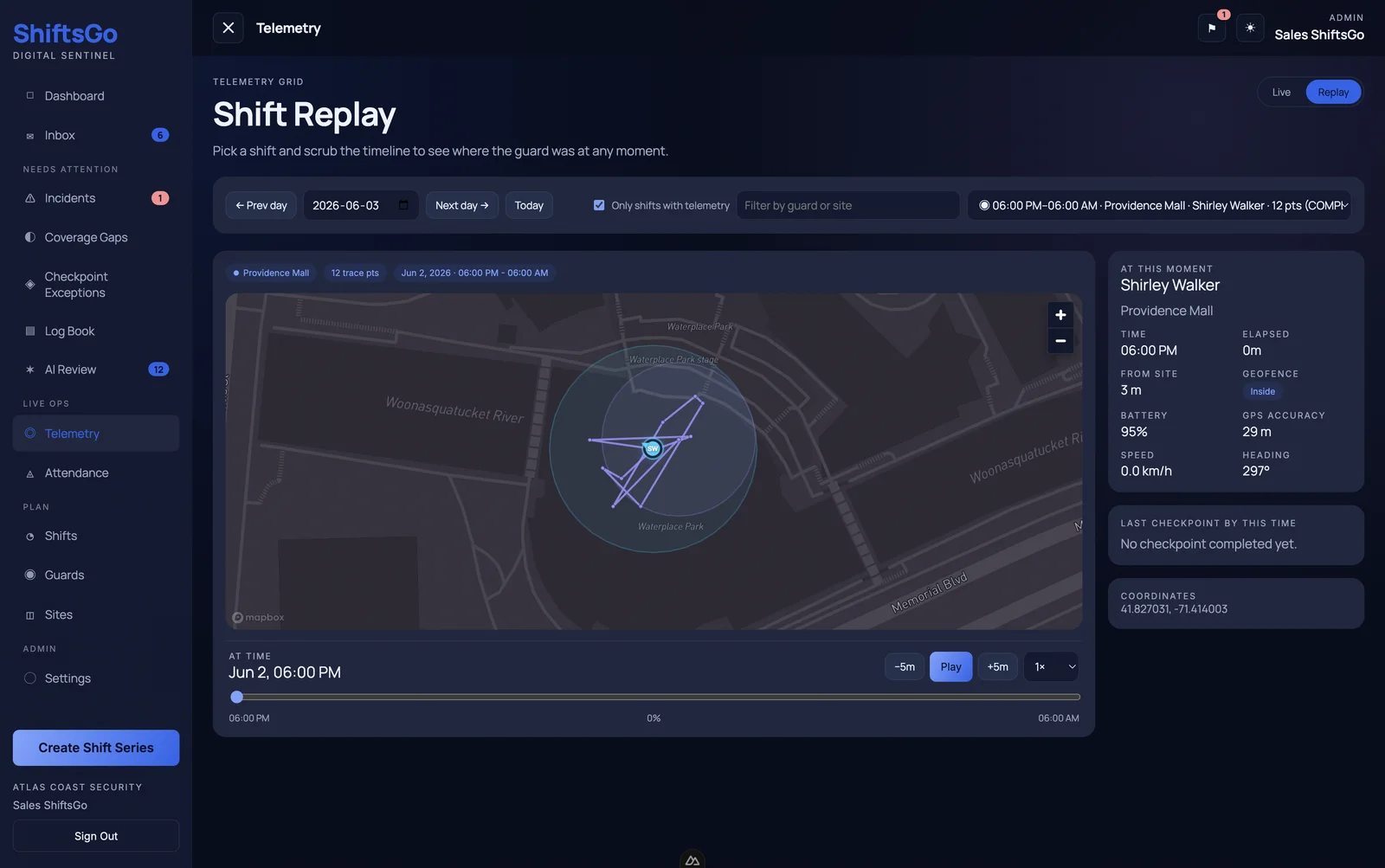
When a client asks about an event, Shift Replay helps supervisors examine recorded movements on a map and revisit the timeline. Pair that with checkpoint records and reports to explain what the operation recorded. GPS and scans provide supporting evidence; supervisors still need to assess the observations and work behind them.
Why make the move to ShiftsGo?
Consider the move when your team repeatedly discovers attendance problems late, struggles to verify patrol requirements, or spends too much time assembling shift information for clients. Adding sites makes those gaps harder to manage if every answer requires another call or spreadsheet.
- Owners and operations managers get a clearer connection between the coverage planned and the service recorded.
- Supervisors get defined exceptions and structured activity to guide follow-up.
- Officers get a consistent place to see work requirements and record field activity.
- Clients can receive clearer supporting records for service reviews and questions.
For US and Canadian teams, the starting point is the same: configure the platform around each site’s duties, timing, and reporting expectations. A residential property, warehouse, and commercial patrol route may need different settings even within one city. Local requirements and client agreements should guide that setup.
Start with one site and measure the difference
- Choose a representative site or route. Document its coverage, patrol counts, repeating tasks, and reporting needs.
- Configure and demonstrate the workflow. Test check-in, rounds, reports, and handover with the officers and supervisor who will use it.
- Review exceptions together. Confirm the team understands late arrival, grace, recovery, and outstanding required work.
- Compare with your current process. Track how quickly missing attendance is noticed, whether required work is recorded, and how long it takes to prepare a client update.
- Expand based on what the pilot shows. Carry the successful setup to other sites and adjust for their requirements.
A useful platform should help your team answer operational questions while there is still time to act, then explain the shift with a record the client can understand. Explore ShiftsGo’s features or book a walkthrough built around your own operation.